EverythingNorsha Notes can do
This is the full breakdown of every feature, how it works, why I built it, and how they all connect to Nora. If you want to understand what the app actually does before signing up, this is the page for that.
Upload anything
When I first started building this, you could only upload images or paste text. That made sense at the time but the more I thought about it the less sense it made. Students don't get their material in one format. One professor sends a PDF, another posts a PowerPoint, someone else writes everything on a whiteboard and you take a photo on your phone.
The whole point of Norsha Notes is to cut down the time between getting your material and actually studying it. If you had to convert everything into one format first, that's just another thing standing between you and studying. So I kept adding formats until the answer to "can I upload this" was basically always yes.
A professor's slideshow, a PDF going over lecture notes, a Word doc you typed up in class, a photo of a whiteboard, raw text you paste directly, even audio from a recorded lecture. You can also combine multiple files into one study guide so if your professor split a topic across three different PDFs, upload all three and Norsha Notes treats it as one.
Supports files up to 100MB
Study Guide
Your notes, actually organized
When I was in school I'd spend half my study time just figuring out what was even important in my notes. Fifty pages of lecture slides and I had no idea what to actually focus on. So the study guide was the first thing I built. You upload your notes and the AI reads through everything and pulls out the key ideas, organized into a real summary you can actually study from.
Every key idea in the summary has a checkbox next to it. As you work through the material you mark things off. It sounds simple but it matters. You can see at a glance what you've covered and what you haven't. No more re-reading the same thing three times because you lost track of where you were.
The part I'm most proud of is the Explain button on every single key idea. Tap it and Nora gives you a deeper breakdown of that specific concept, grounded in your actual notes. Pre-med students use this for pathophysiology, nursing students for dosage calculations, law students for case principles.
What Nora learns from this
Every time you tap Explain on a key idea, Nora logs it. She builds a picture of which concepts you needed help with versus the ones you breezed past. Over time she stops guessing and starts knowing exactly where your gaps are.
Flashcards
Made from your notes, automatically
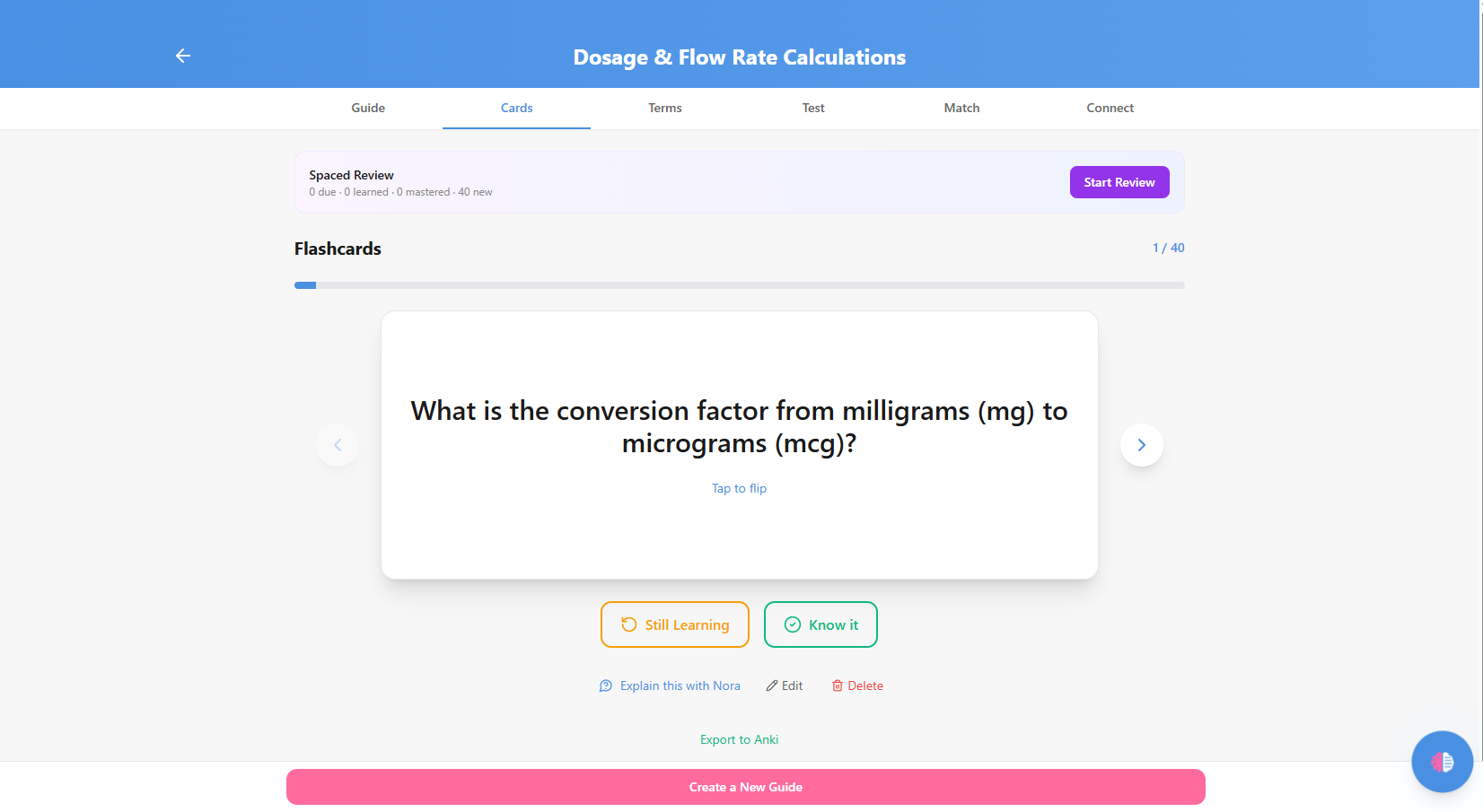
Whenever I think about studying, flashcards are always the first thing that comes to mind. The problem was always making them. Going through your notes manually, writing out every card. That takes hours before you've even started studying. So I just made it automatic. Upload your notes and the flashcards are already done.
A lot of my friends who actually take studying seriously use Anki, specifically because of spaced repetition. The SM-2 algorithm figures out exactly when you need to see a card again based on how well you knew it. Mark a card Still Learning and it comes back soon. Mark it Know It and it gets pushed out. Over time your deck stops showing you things you already know and focuses entirely on what you don't. I built the same algorithm in so you get that without having to think about it.
For friends who are already deep in Anki and don't want to leave, you don't have to. Export your entire deck in one click and it opens in Anki exactly as-is. Norsha Notes generates the cards and Anki handles the long-term review.
Every card is editable directly in the app. If the AI phrased something in a way that doesn't match how your professor explained it, you fix it right there. If a card isn't relevant to what you're being tested on, delete it. You're always in control of what's in your deck.
The Anki export generates an .apkg file, which is the native Anki format. You download it, open Anki on your computer, and import it. Your entire deck shows up exactly as-is with all the cards ready to go. From there Anki handles the long-term spaced repetition scheduling the way it normally would. It works on Anki for Mac, Windows, and AnkiDroid on Android.
What Nora learns from this
Every card you mark Still Learning is logged. Nora tracks which cards keep coming back and knows exactly which concepts you consistently struggle with. She focuses her quiz questions specifically on those.
Click to expand
Glossary Terms
The terms you wrote down and forgot
When you're in a lecture taking notes, you're writing fast. A professor drops a term, you jot it down somewhere in the middle of a paragraph, and by the time you're reviewing a week later it's buried. You know you wrote it, you just can't find it. Glossary terms pulls every key term and definition out of your notes automatically and organizes them into their own list.
These aren't generic dictionary definitions. They're the exact terms from your material, defined the way your professor defined them. If your notes say "drop factor" in the context of IV calculations, the glossary defines it in that context.
Same mastery tracking as the study guide, and every term has an Explain button. For anyone in nursing, pre-med, or law where you're constantly running into specialized vocabulary, this is the fastest way to actually lock terms in.
What Nora learns from this
Every term you asked Nora to explain gets logged as part of your vocabulary profile. Over time she knows which terms you've genuinely learned versus the ones you keep needing explained.
Full Test Mode
A practice exam from your actual notes
Flashcards are great for recall but they don't prepare you for sitting in an exam room answering questions under pressure. Test Mode generates a full practice exam from your notes with multiple choice, true/false, and fill-in-the-blank questions. The AI writes the questions, you answer them, it grades you instantly. No setup, no question bank to build.
The difficulty levels actually mean something. Easy is pure recall. Medium is comprehension. Hard is application. You pick the level or mix all three. There's also a timer per question if you want to simulate real exam pressure. MCAT students, nursing students prepping for NCLEX, law students drilling cases, the timer makes a real difference when you're training yourself to think fast.
After you finish, you can immediately retry just the questions you got wrong. Not the whole test, just the missed ones. Your last 10 scores are saved per guide so you can see whether you're actually improving over time.
What Nora learns from this
Every wrong answer gets logged to your mistake history. Nora knows which specific questions you got wrong, which concepts they were testing, and how many times you've missed them. When you ask her to quiz you, she starts with your weakest areas first.
Match and Connect Games
For when studying feels like a chore
I added the games because studying gets boring. Not every session needs to be flashcards and practice exams. Sometimes you just want something low-effort that still moves the needle. These do that.
What Nora learns from this
Your match performance feeds into your overall weak area profile. If you're consistently slow or wrong on specific terms, Nora picks that up.
Match Game
Terms on the left, definitions on the right, scrambled. Match them as fast as you can. Your best time gets saved per guide so you can try to beat it. There's something about the timer that makes your brain actually lock in. Passive re-reading doesn't do that.
Active recall under time pressure is one of the most effective ways to make information stick. The game format just makes you actually want to do it.
What Nora learns from this
Same as Match, game performance contributes to the overall picture of what you know and what you don't. Nora factors it in.
Connect Game
Similar to Match but instead of clicking pairs, you're dragging terms into position. There's a spatial element to dragging and dropping that clicking doesn't have. You remember where you moved things. The physical interaction reinforces the connection differently.
Same adjustable difficulty. Easy, Medium, and Hard controls how many pairs you're working with at once.
Notes-Only Mode
For when the AI making things up actually matters
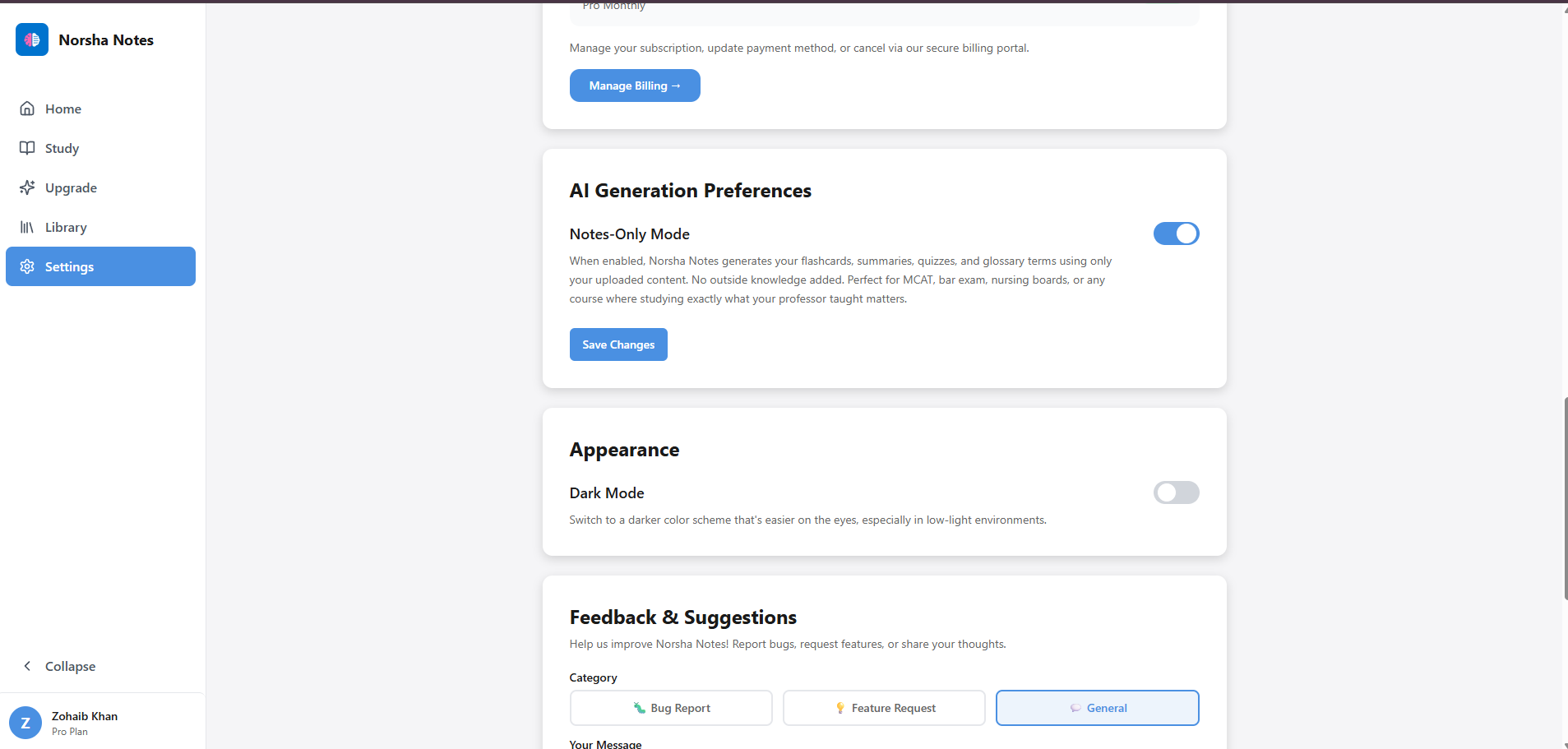
A friend of mine was studying for the MCAT and was skeptical about using AI for it. His concern was that the AI would just make up plausible-sounding information that wasn't in his study material. For the MCAT that's a real problem. You're tested on a very specific curriculum and if your flashcards have accurate information that wasn't in your prep material, that's noise you don't want. I figured a lot of people felt the same way so I built Notes-Only Mode.
It's a toggle in Settings. When it's on, every piece of content Norsha Notes generates, including flashcards, summaries, quizzes, and glossary terms, comes exclusively from your uploaded material. No outside knowledge added, no gaps filled in. Everything traces back to something in your notes.
Specifically useful for MCAT, NCLEX, bar exam, nursing boards, and any high-stakes exam where your professor's curriculum is exactly what you're being tested on.
Worth noting: Notes-Only Mode doesn't affect Nora's responses when you chat with her. She still uses her full knowledge to explain concepts clearly. The mode only controls what gets generated.
Nora — Your AI Tutor
The thing ChatGPT couldn't do
When ChatGPT came out I was in my senior year of high school. I started using it constantly when I studied, checking if an answer was right, asking it to explain things I didn't understand. More and more people started doing the same thing. It was clearly useful. But there was a fundamental problem. It had no memory. Every conversation started from zero. It didn't know what you got wrong last time, didn't know what you'd been struggling with for weeks. It couldn't build on anything.
That's what Nora is built to fix. She's not a general AI you chat with. She's specifically trained on your uploaded notes and connected to everything you've done in the app. She knows which flashcards you keep getting wrong, which key ideas you needed explained, and your test history. When you talk to her she already has context that took you weeks to generate.
The answer styles were something I thought about carefully. When you're using AI to study you usually want one of three things: a quick answer, a step-by-step walkthrough, or the full deep explanation. With regular AI you'd have to prompt it specifically every time. I just built that in. One tap and you get exactly what you need without having to think about how to ask for it.
You can also ask Nora to quiz you directly in the chat. She'll ask you questions, you answer, she tells you if you're right and explains why. More like a back-and-forth with a tutor than a formal test. And because she knows your weak areas she doesn't quiz you randomly. She focuses on what you actually need to work on.
What Nora learns from this
Nora saves your last 30 messages per guide so sessions persist. She has cross-guide awareness and can see all your uploaded guides. The longer you use Norsha Notes, the more accurate she gets about you specifically.
Track your progress
Every session builds on the last. Nothing goes to waste.
Day Streak and Stats
Showing up every day actually matters
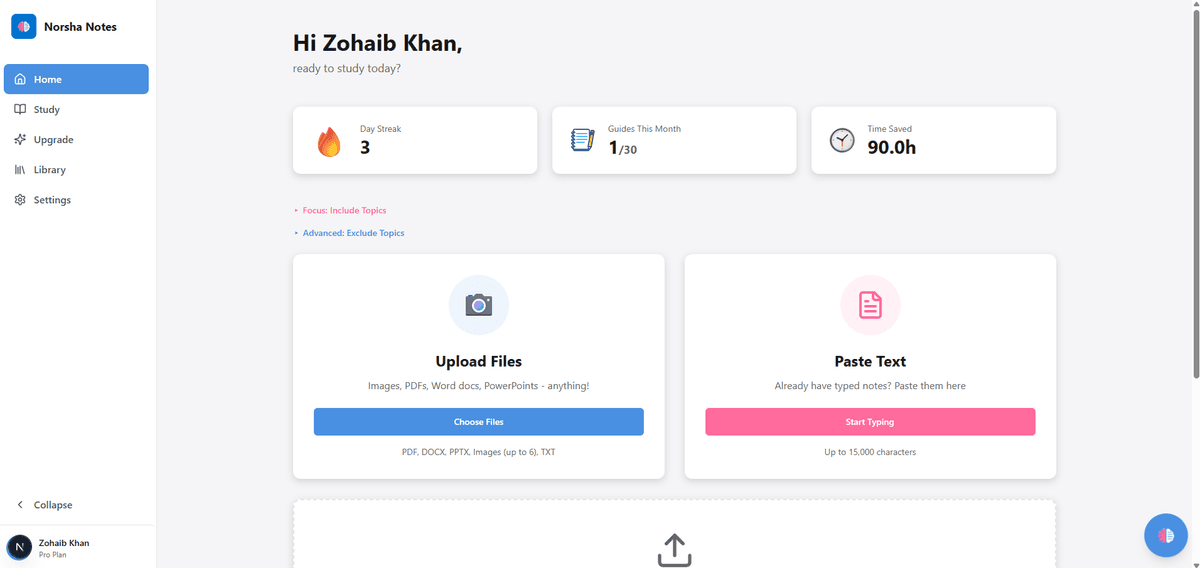
I added the day streak because there's something about a streak that makes you not want to break it. You've probably felt it with Duolingo or a workout app. Once you're on a 5 day streak you'll open the app just to keep it going. That's the point. Studying consistently over time beats cramming every single time and the streak is just a way to make that feel real.
The guides this month counter shows you how much material you've processed. The time saved number is based on 90 minutes per guide because that's genuinely how long it used to take me to go through notes manually and turn them into something I could actually study from. Writing out flashcards, pulling out key terms, making a summary. An hour and a half minimum. Norsha Notes does it in about 30 seconds.
It's not just a vanity number. When you see you've saved 6 hours this month it starts to feel real how much time you're getting back to actually study instead of just preparing to study.
Click to expand
Flashcard Mastery
Knowing what you actually know
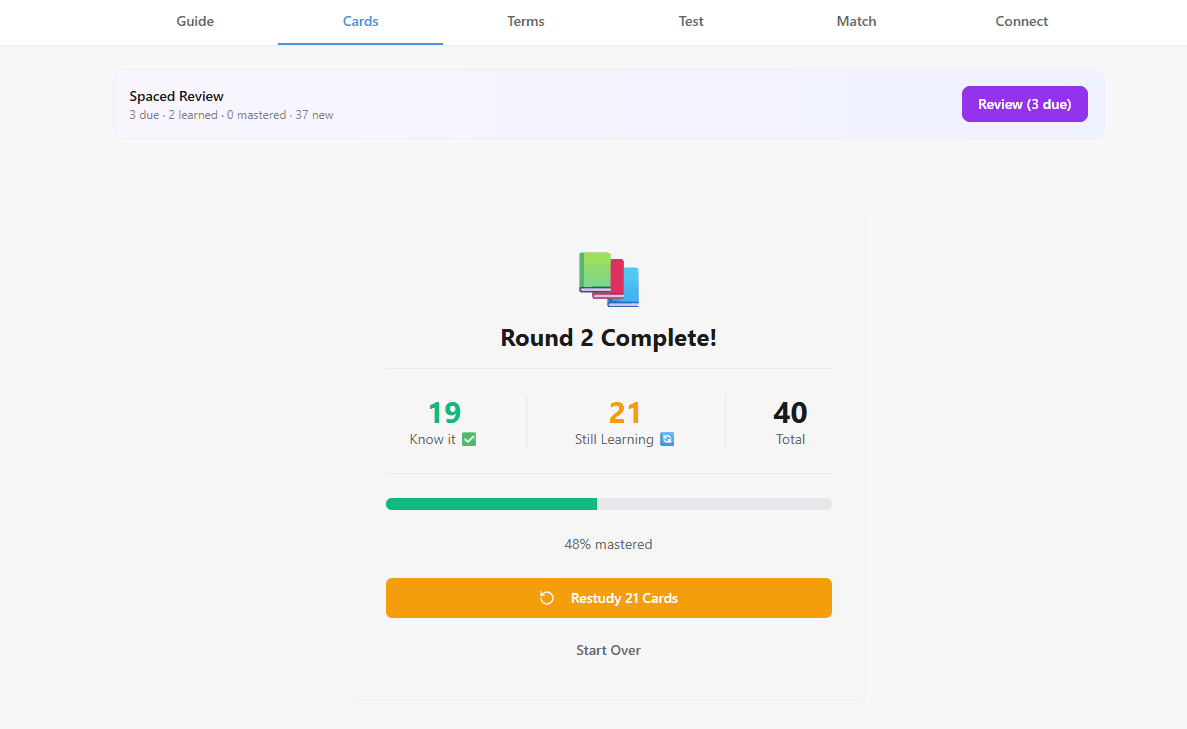
Most people study by going through everything again and again. The problem is you end up spending most of your time on things you already know just because they're there. Spaced repetition fixes that. The SM-2 algorithm tracks every card you've ever answered and schedules exactly when you need to see it again based on how well you knew it. Cards you're solid on get pushed further out. Cards you keep getting wrong come back sooner.
The mastery bar shows you where you stand. Know It and Still Learning are tracked separately so you can see at a glance what percentage of your deck you've actually locked in versus what still needs work. After a spaced review session it updates in real time so you always know exactly where you are.
This is the same system Anki runs on. The difference is you don't have to build the deck yourself or manage any of the scheduling. You just study and it handles the rest.
Click to expand
What Nora learns from this
Nora has full visibility into your spaced repetition data. She knows which cards are due for review, which ones you've mastered, and which ones keep coming back. She factors all of it in when she quizzes you.
Test Score History
Seeing your improvement is the best motivation
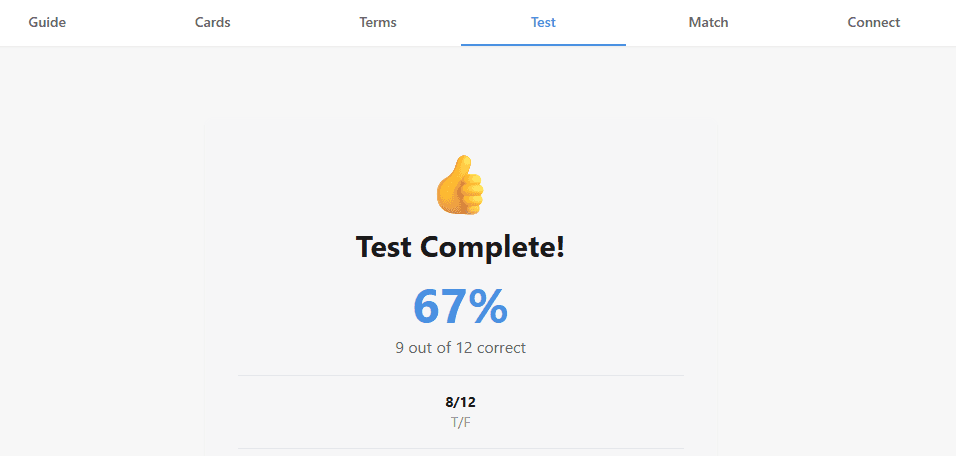
After every test you see your exact score. But the part that actually matters is the history. Norsha Notes saves your last 10 scores per guide so you can see whether you're actually getting better over time or just getting comfortable with the same material.
Going from 54% to 67% to 81% on the same guide over three sessions is genuinely motivating. You can see the work paying off in a way that just studying without tracking never gives you. And if you're stuck at the same score across multiple attempts, that's a signal. It means there's something specific you're not getting and that's exactly when you go to Nora and ask her to focus on those questions.
The Review Missed button after each test lets you go straight into the questions you got wrong without retaking the whole thing. It's the fastest way to close the gap.
Click to expand
What Nora learns from this
Every score gets logged. Nora tracks your performance across all tests over time and uses it to understand which concepts are genuinely sticking and which ones still need work.
Ready to try it
Upload your notes.
See what Nora builds.
Every feature on this page is live. Sign up free and upload your first set of notes in under a minute.
Get started free →